
Debug sessions
A debug session is a temporary authorization to access execution traces on the data plane. It lets you see which API calls your MCP server actually executes, what responses it receives, and how it produces its final output. Sessions last 4 hours max and only one can be active at a time.
Live debugger in the dashboard #
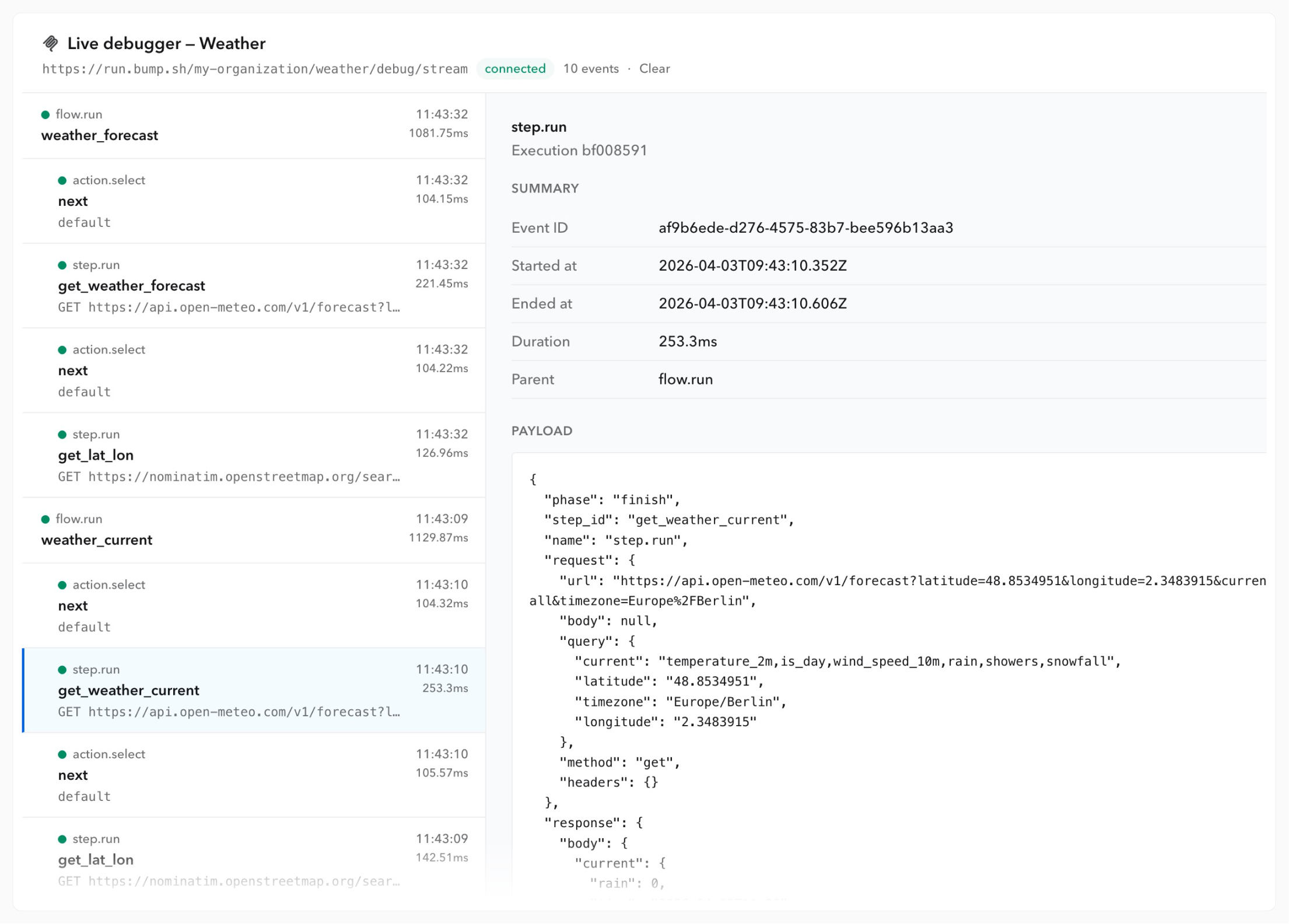
The live debugger offers you a visual way to analyze logs returned during the debug session. It returns the same level of information as the debug endpoint.
Access the live debugger #
- Create a new debug session in your MCP server settings.
- Click on “Open debugger”.
- Interact with the MCP server using your favorite AI tool.
- The live debugger is updated dynamically as the workflows are executed via the MCP server.
Read the live debugger #
For each tool called by the MCP server, the live debugger returns:
- Flow-level information with
flow.run: what the workflow received (inputs) and what it returned (outputs). - Steps with
step.run: each HTTP request the data plane executed, with the full request (method, URL, query, body) and the API response (status, body). - Actions with
action.select: flow control decisions between steps. If your workflow uses conditions (retry, goto, end), this is where they are evaluated.
Debug endpoint #
Go to your MCP server settings and create a new session. You will get a unique token to authenticate your requests.
From the debug session page, select a tool to get a pre-filled cURL command. The request uses 4 variables:
ORGANIZATION_SLUG: your Bump.sh organization slug.MCP_SERVER_SLUG: your MCP server slug.DEBUG_TOKEN: your unique session token.TOOL_NAME: the tool to debug, as defined in your workflow file.
Pass inputs #
If the workflow requires inputs, you can pass them in two ways.
As query parameters (simplest, with a GET request):
$ curl \
  --request GET "run.bump.sh/$ORGANIZATION_SLUG/$MCP_SERVER_SLUG/debug/$TOOL_NAME?city=paris&format=celsius" \
  --header "Authorization: Token $DEBUG_TOKEN"
As a JSON body (with a POST request):
$ curl \
  --request POST "run.bump.sh/$ORGANIZATION_SLUG/$MCP_SERVER_SLUG/debug/$TOOL_NAME" \
  --header "Authorization: Token $DEBUG_TOKEN" \
  --header "Content-Type: application/json" \
  --data '{"city": "paris", "format": "celsius"}'
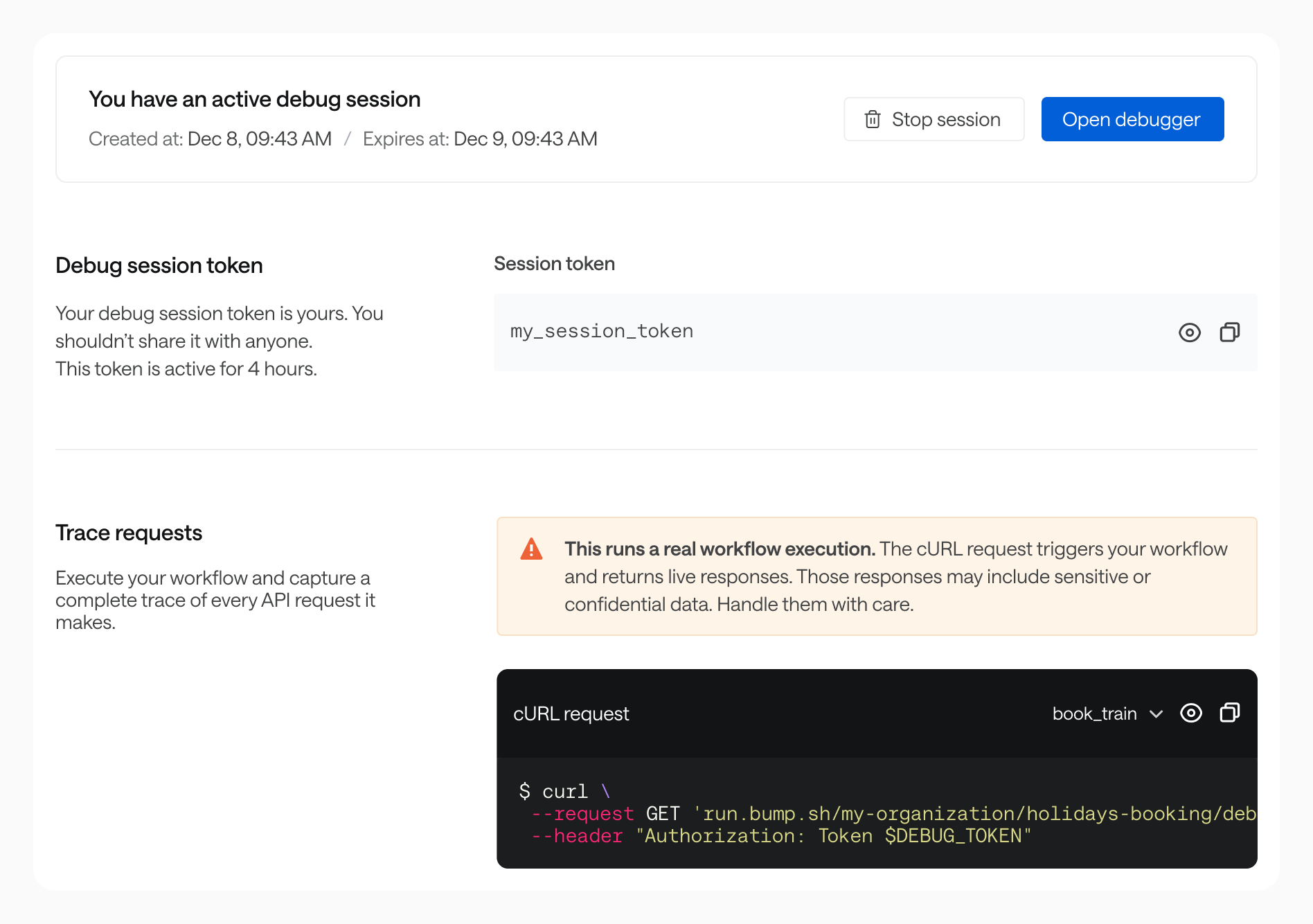
Debug sessions run on the production environment. Responses may include sensitive data. Handle them with care.
Read the response #
The debug endpoint returns a JSON object with two keys:
outputs: the final values returned to the AI agent after running the workflow.trace: the full execution trace, showing every step the data plane ran.
Quick check #
Start by looking at outputs. If the values are wrong or missing, dive into the trace to find where things went wrong.
Understand the trace #
The trace object contains:
- Flow-level inputs and outputs: what the workflow received and what it returned.
- Steps (
step.run): each HTTP request the data plane executed, with the full request (method, URL, query, body) and the API response (status, body). - Actions (
action.run): flow control decisions between steps. If your workflow uses conditions (retry, goto, end), this is where they are evaluated.
Example #
Here is a shortened trace from our Weather MCP server. The workflow resolves a city name to coordinates, then fetches the current weather.
{
"outputs": {
"temperature": "18.2 °C",
"rain": "0.0",
"snowfall": "0.0"
},
"trace": {
"name": "flow.run",
"duration_ms": 181.44,
"flow_id": "weather_current",
"inputs": {
"city": "paris"
},
"outputs": {
"temperature": "18.2 °C",
"rain": "0.0",
"snowfall": "0.0"
},
"children": [
{
"name": "step.run",
"duration_ms": 61.2,
"step_id": "get_lat_lon",
"request": {
"method": "get",
"url": "https://nominatim.openstreetmap.org/search?q=paris&format=jsonv2",
"query": { "q": "paris", "format": "jsonv2" }
},
"response": {
"status": 200,
"body": [
{ "lat": "48.8534951", "lon": "2.3483915", "name": "Paris" }
]
}
},
{
"name": "action.run",
"duration_ms": 0.13,
"action": { "type": "next" }
},
{
"name": "step.run",
"duration_ms": 118.45,
"step_id": "get_weather_current",
"request": {
"method": "get",
"url": "https://api.open-meteo.com/v1/forecast?latitude=48.8534951&longitude=2.3483915¤t=temperature_2m,rain,snowfall",
"query": {
"latitude": "48.8534951",
"longitude": "2.3483915",
"current": "temperature_2m,rain,snowfall"
}
},
"response": {
"status": 200,
"body": {
"current": {
"temperature_2m": 18.2,
"rain": 0.0,
"snowfall": 0.0
}
}
}
},
{
"name": "action.run",
"duration_ms": 0.12,
"action": { "type": "next" }
}
]
}
}
Security and access #
Trace data is not persisted. Nothing is stored between requests.
Maintainers, admins, and owners of your organization can create debug sessions. Session activity is visible on the history page.
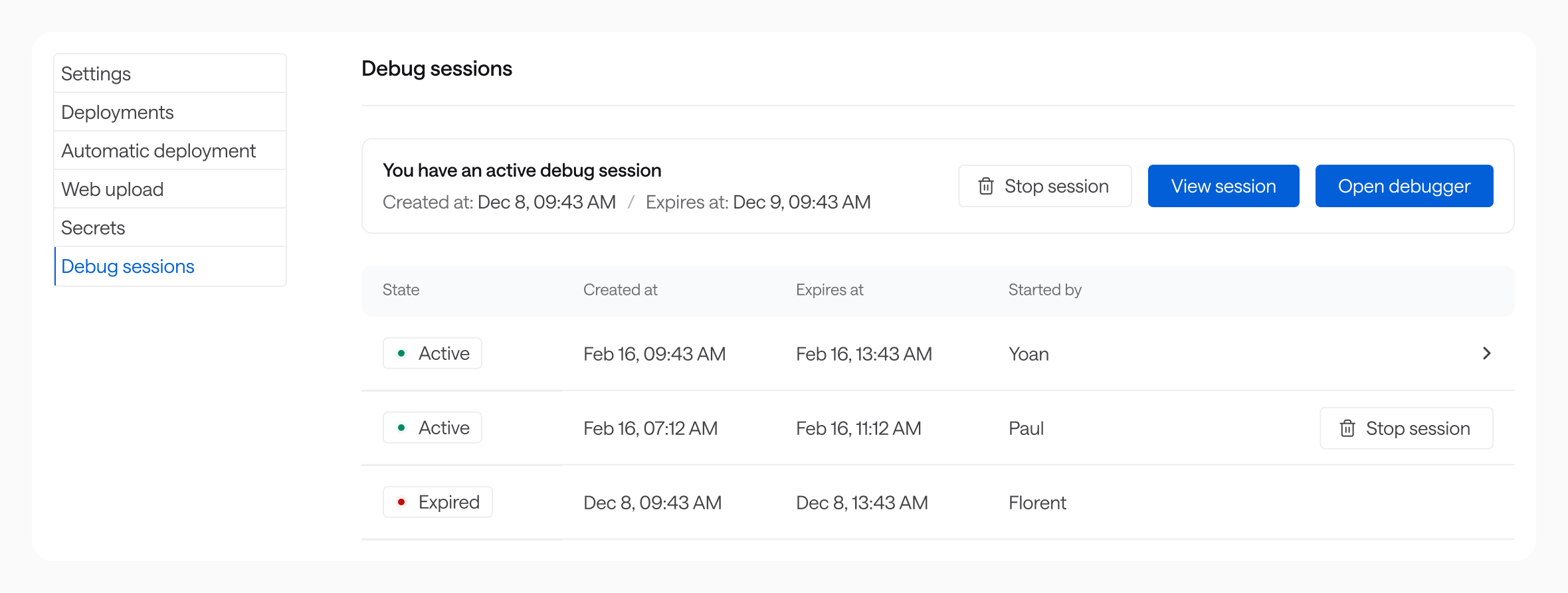
Admins and owners can stop other members’ sessions.